Choosing the right AI Smart Glasses is not a fashion decision alone. It affects how you capture information, hear guidance, and interact with digital tools throughout the day. The best model should fit your routine, not merely display the most impressive specifications. Consider daily comfort, battery duration, audio clarity, camera performance, privacy controls, and compatibility with your phone. Small details matter. Heavy frames become tiring during a long commute.
Mark Zuckerberg, Meta’s founder and CEO, has described smart glasses as “the ideal form factor for AI.” His statement reflects an important shift. Glasses can provide hands-free assistance without demanding constant attention from a phone screen. However, that convenience has limits. Voice recognition may struggle in crowded streets. Cameras may perform poorly in dim restaurants. Some features also depend on reliable internet access and regional availability.
A careful buyer should test the complete experience, not just read a product specification sheet. Wear the glasses for at least fifteen minutes. Check whether the nose pads press uncomfortably. Try making a call near traffic. Review how the device stores, processes, and shares recorded data. Independent reviews, manufacturer documentation, warranty terms, and software update policies can reveal more than advertising claims. No device is perfect. I would also question my own priorities before buying: do I need live translation, navigation, accessibility support, or simple audio notifications? This guide examines those choices clearly, helping readers compare AI Smart Glasses through practical use, technical evidence, and responsible expectations.
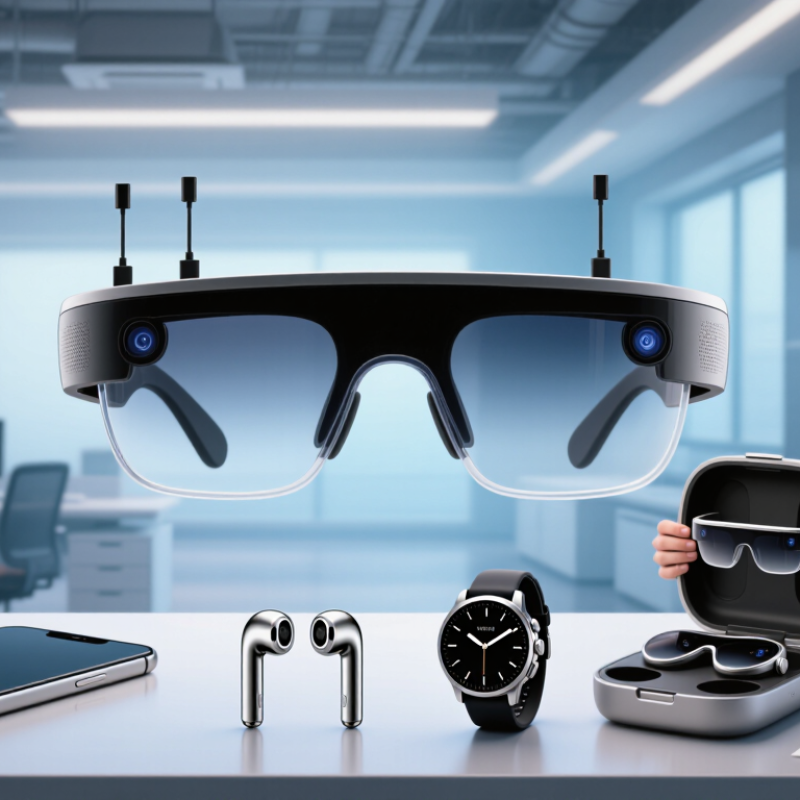
How to Choose the Best AI Smart Glasses?
Define Your Main Purpose for Using AI Smart Glasses
The best choice starts with a clear daily need, not a long feature list. Decide whether you want hands-free navigation, quick voice notes, language support, accessibility assistance, or discreet information while working. A warehouse worker may value scanning guidance and durable frames. A traveler may prefer translation and directional prompts. Someone managing meetings may need accurate audio and simple recording controls. These uses demand different designs.
Picture a normal day. Are you walking in bright sunlight, cycling in light rain, or sitting in a noisy office? Check battery life, lens visibility, microphone performance, comfort, and phone compatibility against that setting. Test the glasses for pressure around your nose and ears. Small discomfort becomes distracting after two hours. Also review privacy indicators, data storage, and permission settings. Clear explanations matter more than impressive claims.
Tips: Write your top three tasks before shopping. Borrow or test a pair if possible. Speak naturally in a crowded room. Notice delays, missed words, and heat near the temples. Do not assume every feature works equally well. AI can misunderstand accents, background noise, or unusual instructions. That weakness is easy to overlook. A practical trial may reveal that a simpler model fits your routine better.
| Main Purpose | Most Important Functions | Recommended Hardware Characteristics | Connectivity and AI Requirements | Battery and Comfort Target | Privacy and Safety Considerations | Best Selection Priority |
|---|---|---|---|---|---|---|
| Hands-Free Information and Voice Assistance | Voice questions, spoken answers, reminders, translations, timers, and control of compatible phone functions. | Clear microphones with noise reduction, open-ear speakers, a physical microphone-mute control, and an easy-to-use voice-activation method. | Bluetooth for phone connectivity; internet access is generally required for cloud-based AI responses, live translation, and current information. | Choose a lightweight frame that can be worn for several hours. A practical target is a full day of intermittent use, recognizing that continuous AI interaction uses more power. | Voice activation should be clearly indicated. Avoid using voice assistants to process confidential information in public places. | Microphone quality, speech recognition, speaker clarity, comfort, and reliable phone integration. |
| Photography and First-Person Video | Quick photos, short video clips, hands-free documentation, and voice-controlled capture. | A camera with adequate resolution for the intended use, image stabilization, sufficient internal storage or phone transfer, and a visible recording indicator. | Fast wireless transfer to a phone; mobile data or Wi-Fi may be needed for cloud backup, AI image analysis, or remote sharing. | Prioritize a secure fit and balanced weight. Video recording, wireless transfer, and AI processing can reduce battery life significantly. | A visible recording light, manual capture control, and clear rules for recording people or restricted areas are essential. | Camera usability, recording transparency, stabilization, storage workflow, and heat management. |
| Navigation and Travel | Walking directions, location-based questions, translation, itinerary access, and spoken travel information. | Open-ear audio, microphones that work outdoors, comfortable nose pads, and optional visual indicators that remain readable in daylight. | GPS is usually provided by the connected phone or another positioning source. Live directions and translation normally require an internet connection. | Look for all-day wear comfort, sweat resistance suitable for normal travel, and dependable operation during extended outdoor use. | Use spoken directions without blocking environmental sounds. Do not rely on glasses alone in traffic or unfamiliar hazardous areas. | Audio intelligibility outdoors, phone navigation compatibility, weather resistance, comfort, and low distraction. |
| Accessibility and Visual Support | Text recognition, object descriptions, color or sign assistance, spoken notifications, and environmental awareness. | High-quality camera, strong low-light performance, accurate microphones, adjustable audio volume, and controls that are easy to operate by touch or voice. | AI image recognition and optical character recognition may be processed on a phone or in the cloud. Offline capabilities are valuable when connectivity is unavailable. | Prioritize prescription-lens compatibility, low weight, stable fit, and controls that can be used without looking at the device. | AI descriptions can be inaccurate. Important medical, financial, or safety decisions should be verified independently. | Recognition accuracy, audio clarity, prescription support, dependable controls, and offline or low-connectivity options. |
| Calls, Meetings, and Work Communication | Hands-free calls, meeting audio, voice messages, notifications, and quick access to communication tools. | Multiple microphones with echo and wind reduction, clear open-ear speakers, physical call controls, and a frame that remains comfortable during long sessions. | Stable Bluetooth calling profiles and compatibility with the user’s phone or computer are important. AI meeting features may require a separate application or subscription. | Battery capacity should support the expected call duration. A charging case or fast-charging option is useful for frequent workdays. | Use mute controls and visible status indicators. Avoid transmitting confidential meeting content to unapproved AI services. | Call quality, microphone noise reduction, device compatibility, comfort, and data-handling policies. |
| Learning, Reading, and Translation | Text reading, language translation, pronunciation assistance, summaries, and explanations of visible content. | Camera autofocus, readable image capture, accurate microphones, open-ear audio, and controls that allow the user to repeat or correct a request. | Real-time translation and language models commonly depend on cloud processing. Check supported languages and whether downloaded language resources are available. | Lightweight construction and adjustable fit are important for study sessions. Audio output should remain comfortable at moderate volume. | Check whether captured text or images are stored, used for model improvement, or shared with external services. | Language support, text-recognition accuracy, audio quality, privacy settings, and ease of repetition. |
| Fitness and Outdoor Activities | Audio coaching, notifications, route information, calls, and hands-free recording during walking or cycling. | Secure fit, sweat or water resistance appropriate to the activity, wind-resistant microphones, tactile controls, and open-ear audio for environmental awareness. | Phone-based GPS and fitness applications are commonly required. Continuous recording or live tracking may need mobile data. | Choose a stable frame that does not move during activity. Battery performance should be evaluated with audio, GPS, and recording enabled together. | Do not use immersive audio that prevents awareness of vehicles, pedestrians, or other hazards. Check the stated water-resistance limitations. | Secure fit, environmental awareness, weather resistance, microphone performance, and battery endurance under active use. |
| Retail, Field Service, and Professional Workflows | Hands-free instructions, barcode or text capture, remote assistance, checklists, and documentation of work conditions. | Durable frame, replaceable or prescription-compatible lenses where needed, reliable camera focus, clear audio in noisy environments, and comfortable controls. | Compatibility with authorized work applications, secure device management, stable wireless connectivity, and appropriate authentication are essential. | Prioritize long-wear comfort, replaceable charging options, and battery performance for the complete work shift or planned charging intervals. | Review workplace recording rules, customer consent requirements, data retention, encryption, and administrator control before deployment. | Application compatibility, security, durability, camera performance, support policy, and total operating cost. |
| Style, Everyday Wear, and General Convenience | Music, calls, notifications, quick photos, voice assistance, and occasional AI features. | Comfortable frame shape, acceptable weight distribution, lens options, clear audio, intuitive controls, and a design suitable for regular social use. | Reliable pairing with the phone, automatic software updates, and transparent information about which features require an internet connection. | Focus on comfort during repeated daily use and convenient charging. Check whether the charging case is easy to carry. | Look for a hardware mute switch, recording indicator, privacy controls, and clear policies for cloud-stored recordings or images. | Comfort, appearance, privacy controls, phone compatibility, software support, and everyday reliability. |
Selection note: AI smart glasses vary widely in camera capability, audio quality, battery endurance, prescription-lens support, water resistance, and dependence on a connected phone or cloud service. Compare these specifications under the specific usage conditions that matter most to you.
Start with your three most important tasks. You might need navigation, voice notes, translation, or accessibility support. A warehouse worker may value durable frames and scanning guidance. A traveler may prefer directions and live translation. Features alone can mislead.
Real environments reveal problems that demonstrations hide. Try them in bright sunlight, light rain, or a noisy office. Speak naturally near traffic or other conversations. Notice delays, missed words, heat, and connection drops. The result may surprise you.
Check pressure around your nose and ears. Wear the glasses for at least two hours if possible. Heavy frames can become distracting during long work sessions. Prescription lenses may add weight. Small discomfort matters.
Useful features include object recognition, translation, reminders, navigation, and hands-free calling. A camera might read a package label. Open-ear speakers can provide directions while preserving surrounding sounds. Basic controls often matter more than flashy functions. Keep it practical.
Voice systems may misunderstand accents, background noise, or unusual instructions. Test speech accuracy on a crowded street. Clear microphones improve ordinary conversations. Do not trust every answer immediately. Verify important directions and translations.
Check battery performance during real use, not only laboratory testing. Two hours of navigation may consume more power than casual listening. Also test charging speed and heat near the temples. Battery needs vary by routine. There is no perfect estimate.
Look for a physical recording indicator and an easy mute switch. Check how recordings, images, and voice data are stored. Confirm whether you can delete stored data permanently. Review permissions one by one. Default settings deserve suspicion.
Confirm support for your phone’s operating system and connection standards. Test calls, notifications, navigation, and accessibility tools before buying. Some functions may stop without a phone signal. That can be frustrating. Check offline limits carefully.
Look for encrypted transfers, secure account access, and regular software updates. Read the privacy policy, even when the wording feels technical. Ask how long recordings remain stored. Vague explanations should make you pause. I have accepted permissions too quickly before.
Choosing the right AI Smart Glasses starts with understanding your main purpose, whether you need hands-free assistance, navigation, translation, learning support, communication, or simple daily convenience. Compare the AI tools and practical functions that matter most to you, such as voice interaction, visual recognition, reminders, recording options, and connectivity. Avoid paying for features you are unlikely to use, and focus on how naturally the glasses fit into your routine.
Next, evaluate display clarity, audio quality, comfort, durability, and battery life for reliable everyday use. Privacy should also be a priority, so review camera indicators, recording controls, permission settings, and how personal data is stored and protected. Make sure the glasses work well with your devices and preferred applications. Finally, compare total cost, warranty coverage, software support, repair options, and expected lifespan. The best choice is not necessarily the most advanced model, but the one that delivers useful performance, strong privacy, comfortable wear, and lasting value within your budget.