Buying AI Translation Smart Glasses can feel exciting, especially when a foreign-language conversation happens beside you. However, polished advertising does not guarantee clear translations, comfortable wear, or dependable privacy. A careful purchase should examine real performance, not only futuristic design.
These glasses combine cameras, microphones, speakers, mobile apps, and language software. Each part affects the experience. Check supported languages, offline functions, translation speed, and accuracy in noisy places. A crowded airport may expose weaknesses that a quiet showroom hides. Battery life also matters. A device that lasts two hours may disappoint during a full travel day.
Look for independent reviews, transparent technical specifications, and clear warranty terms. Expert testing should explain how accuracy was measured. Customer comments can reveal uncomfortable nose pads, delayed audio, or unreliable phone connections. Still, reviews are not perfect. Some may reflect old software versions or personal expectations.
Privacy deserves equal attention. Confirm how voice recordings and images are processed, stored, or deleted. Choose products from established manufacturers with accessible support channels. Consider prescription compatibility, lens weight, charging design, and repair options. Small details matter.
Nothing works flawlessly.
Translation errors can change meaning, names, or humor. The glasses should support communication, not replace human judgment. Before buying, compare several models and test the return policy carefully. These seven practical tips can help you judge whether AI Translation Smart Glasses fit your travel habits, hearing needs, technical comfort, and budget. A thoughtful decision may be less glamorous, but it is usually more reliable.
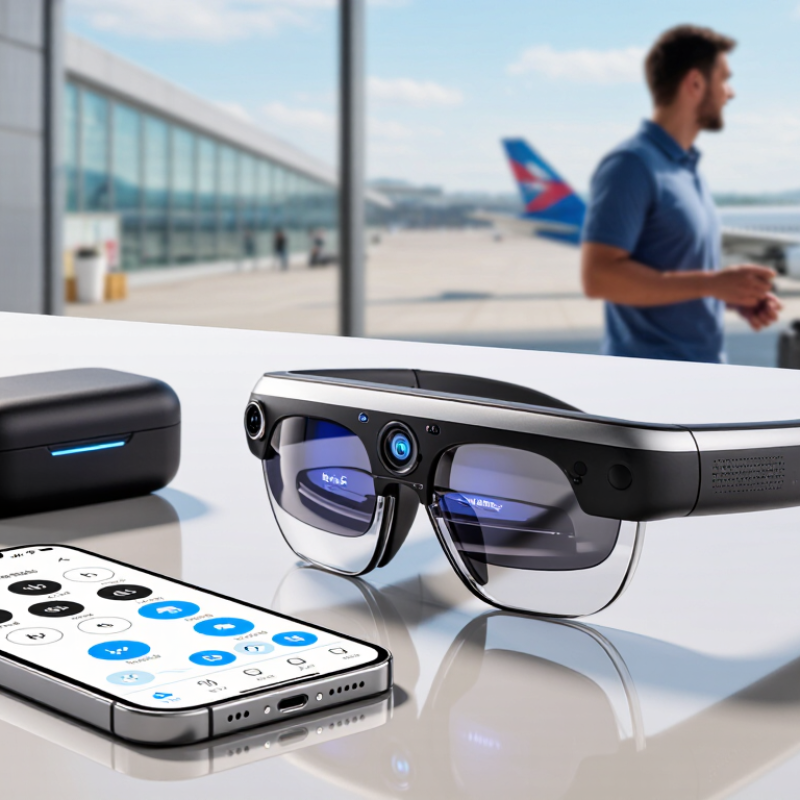
AI translation smart glasses combine a small camera, microphones, a processor, and a display near your eye. The camera reads signs or faces, while microphones capture spoken language. Speech recognition converts those sounds into text. A translation engine then processes the meaning and sends the result to the lens. Some models use cloud servers, while others offer limited offline translation. That difference affects speed, privacy, and performance during travel.
In real conversations, translation is rarely instant. That delay matters. A noisy station, dim restaurant, or strong accent can reduce accuracy. I once tested a similar device near heavy traffic, and several words disappeared. The glasses worked better when the speaker paused naturally. Look for adjustable microphone settings, clear text, and a comfortable viewing angle. A useful device should also show the original phrase, not only the translated version. This helps users question uncertain results.
Buying decisions should include battery life, language coverage, offline functions, and data handling policies. Ask whether recordings are stored or deleted automatically. Privacy matters. Check how the glasses respond to names, numbers, and local expressions, because literal translations can sound strange. Do not expect them to replace a qualified interpreter for medical, legal, or safety-critical communication. AI can support understanding, but human judgment remains necessary. The technology is impressive, though still imperfect. That imperfection deserves attention before payment.
Microphones capture speech. Speech recognition turns it into text. A translation system processes the meaning and displays results near your eye. Some devices use cloud servers, while others support limited offline translation.
Not always. A short delay is common. Traffic noise, dim lighting, accents, and fast speech can reduce accuracy. Results improve when speakers pause naturally.
Many models can read signs, menus, and transport notices with a small camera. Text recognition helps in restaurants and stations. Review the original phrase when possible. A translation may sound strange.
Check the languages you actually use. Test both directions, such as English to Japanese and Japanese to English. Accuracy may differ between directions. Also examine dialect support, pronunciation handling, and language updates.
Some models offer offline language packs. These can help in rural areas or places with weak mobile service. Offline translation may support fewer languages. Its performance can also be less consistent.
Try fast speakers, soft voices, and common local phrases. Test names, numbers, and sentence breaks. Use the glasses near realistic background noise. My own test near traffic missed several words. That result was humbling.
Ask whether recordings are stored, processed remotely, or deleted automatically. Check microphone controls and nearby conversation settings. A crowded café may include other people’s voices. Privacy still matters.
No. They can support casual conversations, signs, and short exchanges. Do not rely on them for medical, legal, or safety-critical communication. Human judgment remains necessary because translations can be incomplete or wrong.
Choosing the right AI Translation Smart Glasses requires more than focusing on appearance or promotional claims. Start by understanding how the glasses capture speech, process language, and deliver translations through audio, text, or visual displays. Consider which languages you need, whether offline translation is important, and whether the device supports conversation, travel, or individual listening modes. Compare translation accuracy, response speed, pronunciation quality, and performance in noisy environments before making a decision.
Comfort and practicality are equally important for daily use. Check the frame fit, weight, battery life, charging method, wireless connectivity, and privacy controls, including how voice data is handled. You should also confirm compatibility with your phone and operating system, then compare the total price with included features, software costs, warranty coverage, repair options, and expected product lifespan. A thoughtful evaluation of these factors will help you select glasses that provide reliable translations, comfortable use, and better long-term value.